Step by step
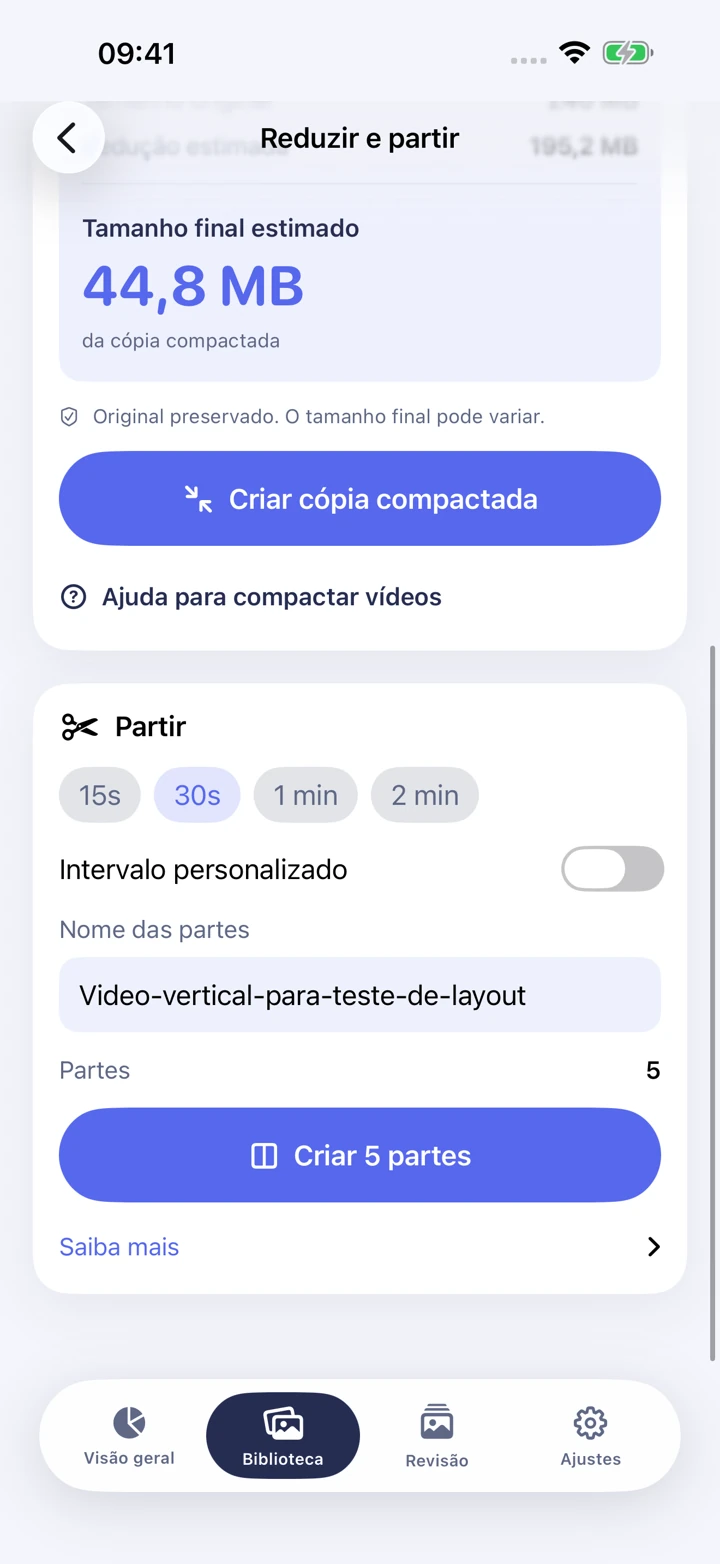
Open a video and tap Split.
Choose a preset duration. With Pro, customize the interval. Check the number of clips and their name.
In the published version, keep the app open while it creates the clips. Find saved results in Library → My videos and check each one. The original stays saved.
Find the clips in Photos
Created clips appear as recent by default. To keep the original date, turn off Settings → Created videos → Save as recent. Then look near the original date or use My videos.
If the operation is interrupted
Check My videos and Photos before trying again, so you do not create duplicate clips. Do not assume an unfinished export will continue from the same frame.
Background splitting with progress and per-clip notifications is still in testing.
Reference screenshots in Portuguese with demo data. The interface may vary by app version and device.
All guides